Monday, September 15, 2014

Building Community

An elementary education faculty member asked for a cart of books (yes, people still do that and it's a good thing) to help her pre-service teachers understand ways they can use children's literature to build classroom community. This little mini-project led to more thinking about what is important to a positive, healthy classroom community. It seems clear that classes with kids who respect each other, show kindness, understand that differences are okay, have a sense of the importance of helping others, and who have confidence can create great community. In the end what I ended up creating was a list of character education books. If students have good character, they will be willing and even active participants in building a positive classroom community.

The full list of books we had available that I pulled are listed here via Goodreads. Some of the books I highlighted in class and we did an activity with include:
Title and Author Community Related Themes
Horsefly and Honeybee by Randy Cecil cooperation, friendship and resolving conflict to work together
Each Kindness by Jacqueline Woodson bullying, friendship, kindness, new students
My Name is Sangoel by Karen Lynn Williams communication, cultural differences, ownership, confidence
Blackout by John Rocco community, family, listening, paying attention to others
Naked Mole Rat Gets Dressed by Mo Willems individuality, confidence, trying new things, being different, ostracizing others
Too Tall Houses by Gianna Marino competition, cooperation, friendship, compromise
Chester's Way by Kevin Henkes stubbornness, friendship, openness, social acceptance, new friends
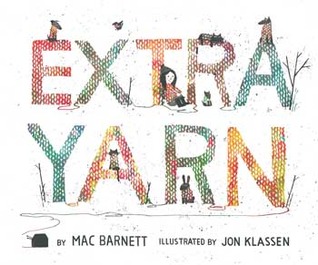
Extra Yarn by Mac Barnett helpfulness, generosity, community, appreciating differences

Among others, the "Character Education" Grab and Go Booklists from NoveList K-8 are very helpful if you have access to NoveList (in NC this can be accessed through NC Wise Owl for K-12 teachers and students - in the near future the service will be removed for colleges, private schools and public library card holders).


Monday, April 21, 2014

Literacy and STEM Collaborations

In preparation for presenting at a local conference, I have been thinking about how librarians and instructional technologists can collaborate with teachers and connect to both STEM principles and
literacy goals. Helping kids become more literate and teachers achieve the goals of the Common Core State Standards and teacher evaluation standards in our state. The idea here is that integrating STEM and literacy doesn't mean that science teachers must require students to read a book about the weather in an earth science unit or math teachers have to find time for a "history of math/famous mathematician" project in order to have students read something. Librarians can work with teachers to find more creative and authentic ways to integrate reading and literacy into their curriculum. When educators treat literacy like an objective to check off a list then we aren't really helping our students become literate.

So, integrating literacy well is in part is about defining it more broadly. (Although, not as broadly as it is often defined - students can now be math literate, digitally literate, technologically literate, media literate, information literate, scientifically literate, transliterate, phew! It seemed easier when they just had to read.) The literacy I want to develop definitely involves reading and strategies to improve reading but is also taught through writing, speaking and listening. Can your math students explain their thought processes? Can a student learning a scientific concept turn it into a story to embed the concepts in their memories? Can an algebra student teach another student how to do a difficult problem and troubleshoot errors? When students can write and speak about what they are learning, they are becoming more literate. If librarians and classroom teachers can also integrate some authentic reading into what they are working on, all the better.

STEM learning can not be left up only to the math and science teachers, it's important to integrate these skills and learning goals into the humanities - the arts, social studies, and language arts all benefit from integrating core principles of STEM education. Adding a little coding or robotics into a digital storytelling project - what fun!

Bethany Smith and I will be presenting ways to integrate STEM and literacy at the WCPSS Convergence Learning Symposium as well as at the 2014 ISTE conference. We are sharing ideas on integrating reading online, creating with MaKey MaKey, designing with TinkerCad, printing in 3-D, telling stories with Legos and more. We hope to continue to get ideas from participants on how to involve more science and math teachers in the literacy movement, more humanities teachers in the STEM movement and more librarians/instructional tech folks in the collaboration movement.

Monday, March 17, 2014

The Future of Reading

The Future of Reading
by Kerri Brown Parker


As one of the coordinators of children's activities for the 2014 NC Literary Festival, I was asked to do a guest post for the Mom in Chapel Hill blog regarding the theme of the festival: “The Future of Reading.” So what will this future entail? Drum roll please……….the future of reading will be …. Reading! However, it may be more interactive and social than we have experienced in the past; it may involve words streaming past a reader’s eyes instead of eyes moving across the page; it may be more image heavy and the topics will continue to push the limits of what kids once may have read. All of this change in reading is due to advances in technology changing interactions with the written word.
1380px-Young_boy_reading_manga.jpg

However, as with all change and technology, moderation is important not only because of “screen time” but also to enhance your child’s preferences. Current research suggests that kids have similar feelings about reading online/on a screen and reading from a traditional book so model both behaviors and provide them with both opportunities. What does this mean for parents? Focus on simply giving children an opportunity to read and asking them to read widely, in terms of format, genre and style.


6917370714_164fd9e52a_o.jpgKids will have many opportunities in school to dissect texts and practice close reading. Hopefully at home they have opportunities to read what they love and find engaging. Although the value of independent reading/free reading/print exposure is debated by educators for its influence on improved comprehension; it is generally accepted that kids who read more have a more positive attitude towards reading and are more likely to develop self-confidence as readers. Becoming a life-long, active reader helps with vocabulary development and is generally correlated with school success. So, if you are looking for some new ways to encourage reading and are looking to how technology might influence a change in the way we read, check out this handful of technology-enhanced reading tools.


Interactive eTexts:
Collins Big Cat apps – iPad – preschool/early elementary
Inanimate Alice - web-based - upper elementary/middle school
Reading Rainbow - iPad and Kindle Fire - preschool/early elementary
PopOut! Book Apps - Android and iPad - preschool/early elementary


Create Your Own:
Comic Master - short graphic novels
My Story Maker - easy storytelling/picture book creator


Nifty New Tools:
Spritz your Reading - increase the speed and watch the words go by (click on the “Click to Spritz” to try it out)
Curriculet and Read Actively - eReaders that track progress - useful for reading accountability


Find More:
Common Sense Media App, Movie, Book Reviews


There is of course also great web content out there for kids to read and terrible web content out there for kids to read - teach your child to read websites critically and if your child is attracted to reading online, try the websites at the American Library Association’s “Great Websites for Kids” to engage them in fiction and informational reading.  In the end, it’s not about technology versus print; find what your child will read, offer choice as well as new opportunities and encourage reading in all its new and exciting formats.


Images Used under Creative Commons Usage Rights:


Tuesday, October 1, 2013

Oh Yeah - I Forgot About That!

It's so easy to see something cool on a blog, in a journal article, at a conference, via Twitter, etc. and then forget about it a few days, weeks, semesters later. In particular this is true for me about technology and books. I can even forget books I've already read - even the great ones (although GoodReads has been really helpful for my reading memory issues). Technology tools are easy to remember when I'm using them regularly with classes/teachers but so easy to forget when the curriculum I'm delivering or PD I'm leading requires a different direction. A teacher came in the other day looking for a way to make video more interesting - I remembered TedEd but forgot about Vialogues. There are just so many tools!

Recently I reminded myself about Guided Access for the iPad because I have a toddler and keeping him to only the app I've selected rather than giving him free reign to delete other apps, open new apps/tools I didn't know existed and in general cause iOS mayhem is crucial to iPad success at our house. To remember that "Guided Access" was the setting I needed was luckily pretty easy thanks to favorited Tweets and finding a post from a couple years ago. Then I got to telling others/reminding others about Guided Access. Each K-3 teacher in our state now has an iPad and as I've telling pre-service elementary teachers about Guided Access, they are thrilled along with the practicing teachers they are working with - http://support.apple.com/kb/HT5509. Remembering and sharing tools as well as using them often is so key to educational technology success.

So, favoriting tweets - definitely a time saver for me and a technology tool memory aid. I also really like LiveBinder, Diigo, my own magazines in FlipBoard, and other tools. I also search Richard Byrne's blogs and sites and Joyce Valenza's LibGuides knowing that one of them probably has an article or link that is what I'm looking for - finding the right memory tool/organizational tool/curation tool for you is key to making technology tools more manageable. It's also something that like most of education is ever-changing and improving as new search tools (Gooru, MentorMob, etc) as well as curation tools (BlendSpace, Educlipper, etc.) become available life can become more overwhelming or more efficient depending on how the tools are used. What do you think are the best ways to keep your digital life organized?

Friday, May 24, 2013

Literacy through Technology

As I think about how school libraries should be affected by the Common Core State Standards, 21st Century Skills, and really most standards movements that have happened over my 17 years of teaching; it's all about literacy. How we define literacy is broad - information literacy, global literacy, transliteracy, reading, decoding, multi-modal literacy, media literacy, phew! LITERACY is a big term and it's important to treat it that way - finding ways to integrate literacy into everything we do. Can we add a reading to an activity in the library that used to just be about students using technology? Can we allow students to struggle through finding an answer through reading rather than telling them? Can we help our teachers require that students use well-evaluated websites with appropriate text complexity when researching? Can we work to be sure that literacy is an important part of the all-powerful STEM?

So, an ongoing goal of mine is to work to help teachers find tools to enhance student literacy and embed literacy into everything I do in terms of professional development, collaborative instruction, co-teaching, etc. I'm starting by really looking at how I can use the Subtext app with classes/pd sessions (iPad app only). Subtext helps a teacher/facilitator track how students/participants are reading and guide them through readings with embedded video, multiple choice questions, additional information, open-ended questions and more. Thus far I have used this enhanced reading/guided literacy tool with adult learners and in modeling lessons with pre-service teachers. The pre-service teachers read a poem using Subtext - answering questions, sharing thoughts and helping me (the instructor) gauge their comprehension and engagement.
I'm looking forward to continuing work with Subtext and hoping to find more tools that will enhance the literacy experience for students, teachers and librarians.

A little Learn.ist board on technology and literacy: http://learni.st/users/98996/boards/21912-literacy-using-technology

Tuesday, April 30, 2013

EdCamp 2013 - What do I want to learn?

So, it's tricky to make time for your own learning when you lead a lot of professional development and spend time working with others in a teaching capacity. So, I'm getting ready for EdCamp on Saturday and it's great to take time to think about what I really want to learn rather than just choosing from a catalog. If you are not familiar with EdCamp; it's an unconference, meaning that there are no predetermined speakers or even sessions. The folks who participate in EdCamp determine the sessions day of and discuss and learn from each other at these sessions. (You can still register - check it out: http://www.edcampnc.org/home)

Recurring themes for me when I think about learning are student literacy and communication skills. It seems like no matter who I get in a conversation with about education; there are comments/complaints about reading, writing, speaking, etc. I hope at EdCamp to get into literacy issues with some folks and even better to connect literacy and technology. There are so many ways to be literate and illiterate in our techno/info-rich society and we need to help our kids keep up.

I've also been reading more and more about curation - which I believe is directly connected to helping students become more literate and therefore more functional in the sea of digital information. In my new job, I've finally got some time on my hands to look at what our library really needs and I think curation is one of my new goals. Now I've just got to figure out what tools to use and what to curate! I love Joyce Valenza's idea that "Librarians can synchronize communities" through curation and hope to synchronize away this summer (http://www.schoollibrarymonthly.com/articles/Valenza2012-v29n1p20.html)

Friday, March 15, 2013

Conference Cacophony Prioritized

NC Ties 2013 was a tool-heavy, idea-sparking, gamification event. Via my iPad noting, Evernoting, Edmodo linking, Smackdowning, etc. I think I jotted down well over 100 tools, gadgets, etc. PHEW! Via Prensky, Warlick, LaGarde and others the conference also dealt with the why of all this - I agreed with some, disagreed with others but was reminded to make it about kids driving the learning. Now I just have to figure out what vehicles I want them to drive. Which of course means needing lots of time to play; so it's time to prioritize the cacophony.

I decided to start with Google Chrome/Extensions/Apps to make my own techie life more efficient. Numerous featured presenters mentioned the extensions that are making their lives easier. Since I've begun playing around and exploring, I have yet to open Explorer - guess that speaks to the effectiveness of some of these tools.... The ones I've liked the best/prioritized:

  • Pocket - saving documents for offline reading - great webtool and extension. Easy to use and I've found it particularly helpful in Twitter. Although I started with this as a Chrome add-on, I've quickly adapted and started using it on the iPad as well.
  • EasyBib Extension - citation/bibliography creator AND website evaluation tool. I still like NoodleTools for citations but I'm working my way towards EasyBib and I really like the website evaluation piece of the extension that lets a user know whether EasyBib evaluates the website as credible/not credible/may be credible and provides users with a helpful guide if evaluation is still needed. Want to use this with students in a future information literacy session.
  • Diigo - a good reminder to use the social bookmarking/annotation tool and the extension makes it easier and more efficient. I think the extension may also get some schools around the problems with downloading that I had previously with Diigo.
So this post has a prioritization focus and I'm trying to do the same, so I'm stopping here for now with extensions. I want to use these three and use them well with a plan to revisit new tools again in a couple of weeks. Chrome is also my friend in adding apps and links to the "homepage" - love the customizability of the browser and honestly the "experience" - as cheesy as that sounds. 

NC Ties and other conferences are always good reminders to try new things, revisit tools that I haven't tried in a while and keep looking for the tool that will best fit tech needs, kids' needs, etc. I have always loved the scribing videos where the audience watches the creator draw and write out ideas to go along with music or narration. The tool VideoScribe makes this possible and has been my tool of choice this week. I've also been working on a Digital Storytelling activity for pre-service teachers and had great fun creating with VideoScribe - here's how I'm starting our conversation -- http://youtu.be/Xxq1qEh3_7c

So, there's an overwhelming amount of things to explore and play with and I'm excited to keep finding the tools that best fit my need for efficiency and student needs for learning!